Is your Broan trash compactor acting up when you need it the most? You’re not alone, and the good news is many common problems have simple fixes.
Imagine saving time and money by troubleshooting your compactor yourself before calling a technician. In this guide, you’ll discover easy steps to identify and solve issues quickly, so your kitchen stays clean and clutter-free. Keep reading to get your Broan trash compactor working smoothly again without hassle.

Credit: www.repairclinic.com
Common Issues
Broan trash compactors make waste disposal easier and cleaner. Still, they can face some common problems. Knowing these issues helps you fix them fast. Save time and avoid costly repairs.
Below are the most frequent problems with Broan trash compactors. Understanding each one makes troubleshooting simple and quick.
Compactor Won’t Start
The compactor may not start due to power issues. Check if it is plugged in correctly. Look for a tripped circuit breaker or blown fuse. The door switch might not be fully closed or faulty. Also, inspect the start button or switch for damage.
Unusual Noises
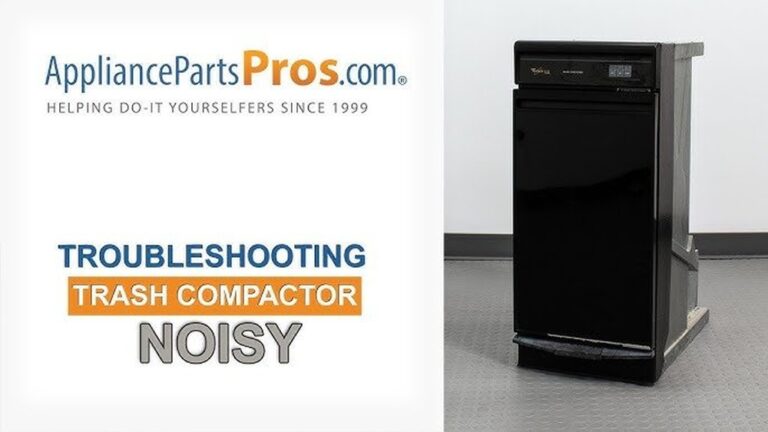
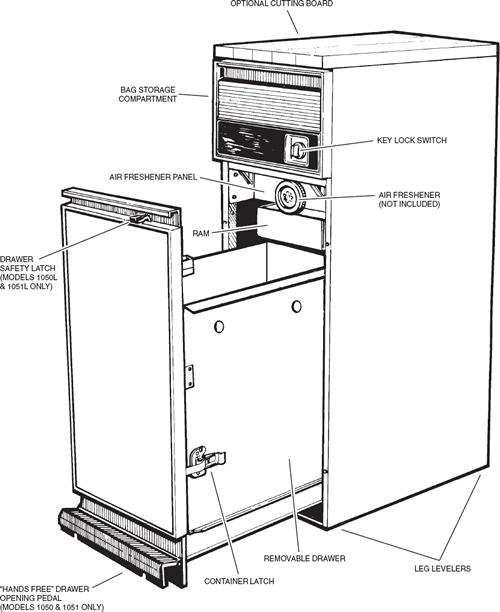
Grinding or squeaking sounds are warning signs. These noises often mean worn or loose parts. The ram or motor might have debris blocking movement. Lubricate moving parts and clean any trash stuck inside. Tighten any loose screws or bolts to stop noise.
Motor Overheating
The motor gets hot if used too long without breaks. Poor ventilation around the compactor causes heat build-up. Dust and dirt can clog motor vents, reducing airflow. Allow the motor to cool and clean the vents regularly. Avoid running the compactor repeatedly in short time.
Trash Not Compressing
Trash stays loose and takes more space if the ram is weak. Overfilled compactor or jammed trash blocks compression. The motor or ram could be malfunctioning. Remove excess trash and check for jams. Inspect the motor and ram for damage or wear.
Door Latch Problems
The door must latch tightly for the compactor to work. A broken or misaligned latch stops the machine from starting. Dirt and debris can also block the latch from closing properly. Clean and adjust the latch as needed. Replace it if broken to ensure a secure seal.

Credit: www.appliancefactoryparts.com
Basic Fixes
Basic fixes help keep your Broan trash compactor working smoothly. Simple steps often solve common problems fast. These easy actions save time and avoid costly repairs. Follow these tips to get your compactor back to normal quickly.
Resetting The Compactor
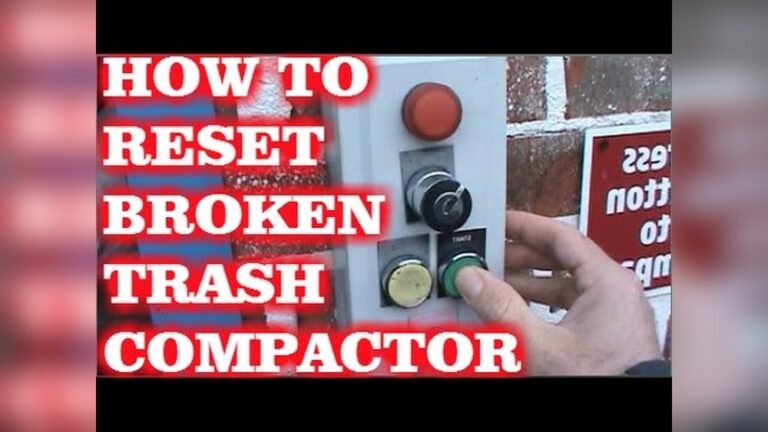
Resetting the compactor clears errors and restarts it. First, unplug the unit from the power source. Wait about five minutes before plugging it back in. Press the reset button if your model has one. This step often fixes small glitches instantly.
Checking Power Supply
Make sure the compactor is getting power. Check if the plug fits tightly into the outlet. Test the outlet with another device to confirm it works. Replace any blown fuses or reset circuit breakers. A steady power supply is vital for proper function.
Clearing Jams
Jams block the compactor from working properly. Turn off and unplug the unit first. Remove the bag and look for stuck debris. Clear any trash caught in the ram or sides. Use gloves and tools if needed to avoid injury. Regular checks prevent future jams.
Replacing The Bag
A full or torn bag causes problems during compacting. Remove the old bag carefully to avoid spills. Use the correct size and type recommended by Broan. Secure the new bag tightly in place. This ensures smooth operation and prevents leaks.
Lubricating Moving Parts
Lubricate the compactor’s moving parts to reduce friction. Use a light machine oil or spray lubricant. Focus on the ram, hinges, and other metal joints. Wipe away excess lubricant to avoid dirt buildup. Regular lubrication extends the machine’s life.
Advanced Repairs
Advanced repairs for Broan trash compactors require more skill and tools. These fixes go beyond simple troubleshooting and involve parts replacement or electrical work. Understanding basic mechanics and safety is important before starting.
Handling advanced repairs can save money and extend the life of your compactor. It helps avoid costly service calls and keeps your appliance working smoothly.
Motor Replacement
The motor powers the compactor. If it stops working, the unit won’t compact trash. First, unplug the compactor. Remove the outer panels to access the motor.
Disconnect the wires carefully. Take note of where each wire connects. Unscrew the motor and pull it out. Install the new motor by reversing these steps. Test the compactor before reassembling everything.
Fixing Electrical Issues
Electrical problems can cause the compactor to fail or run erratically. Check the power cord and plug for damage. Use a multimeter to test for voltage at different points.
Look for loose connections or burned wires. Tighten or replace any faulty parts. Replace blown fuses or reset circuit breakers. Always disconnect power before working on electrical parts.
Sensor Troubleshooting
Sensors detect trash levels and control operation. Dirt or damage can cause sensor issues. Clean sensors gently with a soft cloth and mild cleaner.
Check sensor wiring for breaks or loose plugs. Replace sensors if cleaning does not fix the problem. Proper sensor function ensures safe and efficient compaction.
Control Panel Repair
The control panel manages compactor functions. Faulty buttons or displays cause operation errors. Open the panel cover to inspect wiring and connections.
Look for corrosion, loose wires, or burnt components. Replace damaged buttons or circuit boards. After repairs, test all controls for proper response.
Credit: www.storeforparts.com
Maintenance Tips
Keeping your Broan trash compactor in good shape helps it work longer and better. Simple maintenance steps stop common problems early. These tips save time and money on repairs. Follow these easy practices to avoid troubles and keep your compactor running smoothly.
Regular Cleaning
Clean your compactor often to stop smells and jams. Wipe the inside walls with a damp cloth. Remove crumbs and debris from the bottom. Clean the ram plate to avoid stuck trash. Use mild soap and water. Never use harsh chemicals that damage parts.
Proper Loading Techniques
Load trash evenly to prevent strain on the motor. Do not put oversized items inside. Break bulky trash into smaller pieces first. Avoid packing trash too tightly. Leave space for the ram to compress properly. Follow the manufacturer’s weight limits.
Inspecting Components
Check your compactor’s parts regularly. Look for cracks or wear on the ram plate. Inspect the door seal for damage. Make sure the power cord is secure and not frayed. Test the safety switch to ensure it works. Catch issues early to avoid bigger problems.
Scheduling Professional Service
Set a yearly check-up with a qualified technician. Professionals can spot hidden problems. They clean hard-to-reach parts and test electrical components. Service visits keep the compactor safe and efficient. Don’t wait for breakdowns to call for help.
Safety Precautions
Safety is the top priority when troubleshooting a Broan trash compactor. Taking the right precautions prevents injuries and damage. Always prepare before starting any repair or maintenance work.
Unplugging Before Repairs
Always unplug the trash compactor before any repair. This stops the machine from turning on by accident. It protects you from electric shock and moving parts. Never skip this step, even for small fixes.
Using Protective Gear
Wear gloves to protect your hands from sharp edges. Safety glasses keep debris out of your eyes. Use clothes that cover your arms to avoid scratches. Protective gear keeps you safe during cleaning or repairs.
Avoiding Overloading
Do not overload the compactor with too much trash. Overloading can cause jams and damage the machine. It also makes the motor work harder and wear out faster. Keep the load within the recommended weight limit.
Handling Sharp Objects
Be careful with sharp items like glass or metal. Remove them before compacting to avoid damage. Handle these objects slowly and with care. Sharp objects can cause cuts or harm the compactor’s blades.
Frequently Asked Questions
How Do I Reset My Broan Trash Compactor?
To reset your Broan trash compactor, unplug it for five minutes. Then, plug it back in and press the reset button. This clears minor errors and restores normal operation.
Why Is My Broan Trash Compactor Not Compacting?
Check if the compactor is overloaded or jammed. Remove excess trash and clear any debris blocking the ram. Also, ensure the door is fully closed to start the cycle.
How Can I Fix A Broan Compactor That Won’t Start?
Verify the unit is properly plugged in and the door is closed. Test the wall outlet and reset the circuit breaker if needed. If the problem persists, inspect the motor or control board.
What Causes A Broan Trash Compactor To Stop Mid-cycle?
Mid-cycle stops often result from motor overheating or safety switch activation. Allow the motor to cool, check for jams, and ensure all switches are properly engaged before restarting.
Conclusion
Troubleshooting your Broan trash compactor can save time and money. Start with simple checks like power and safety switches. Clear any jams carefully to avoid damage. Regular cleaning helps keep it working well. Follow these easy steps to fix common problems.
Small fixes often solve most issues quickly. Stay patient and take your time. Your compactor will run smoothly again. Keep this guide handy for future help.