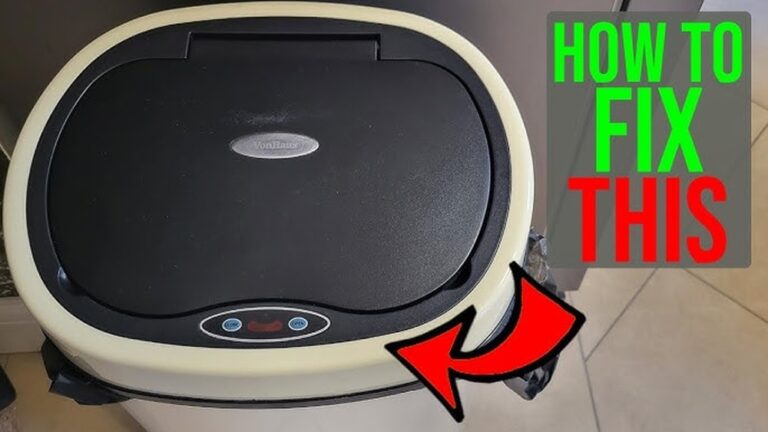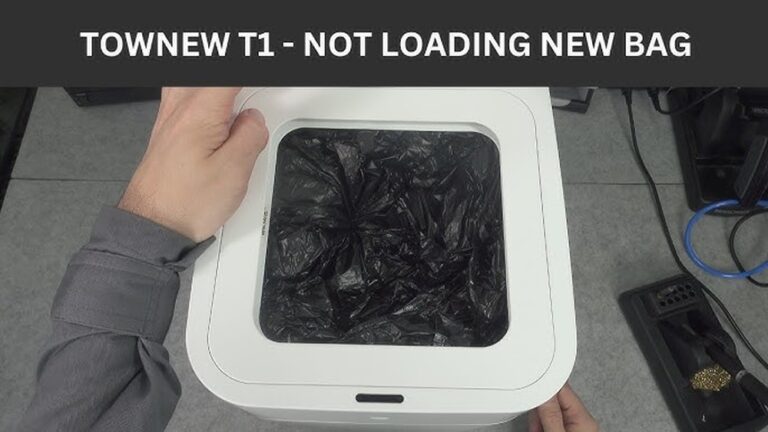
Is your trash can sensor not working when you need it most? It’s frustrating when you expect a quick, hands-free open, but the lid just won’t respond.
You rely on this small convenience every day, so when it stops working, it disrupts your routine and adds unnecessary hassle. But don’t worry—this problem is more common than you think, and there are simple steps you can take to fix it.
Keep reading to discover why your trash can sensor might be failing and how you can get it back to working smoothly, saving you time and effort.

Credit: www.youtube.com
Common Sensor Issues
Trash can sensors stop working mainly due to a few common problems. These issues often block the sensor’s ability to detect motion or open the lid. Fixing them usually restores normal function quickly. Below are the frequent sensor problems you might face.
Power Supply Problems
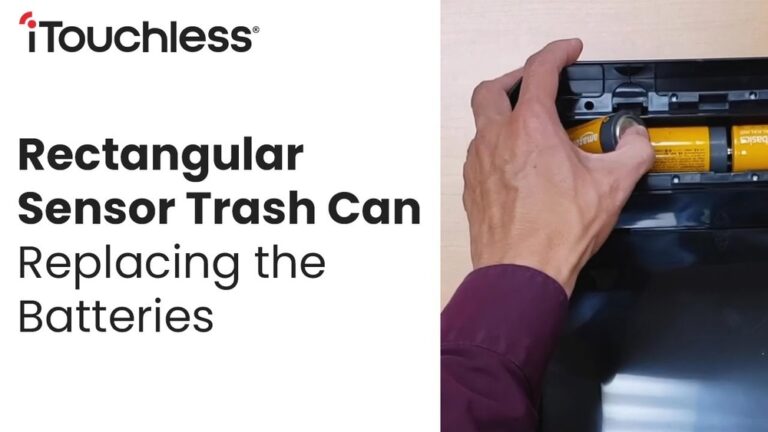
Sensors need power to work. Dead batteries or loose power connections cause failures. Check the battery life first. Replace old batteries with new ones. Ensure the battery fits tightly and connects well inside the compartment.
Sensor Obstructions
Objects or dirt can block the sensor’s view. Even small items like dust or crumbs stop the sensor from sensing motion. Keep the sensor area clear. Remove anything covering or near the sensor lens.
Dirty Sensor Lens
The sensor lens must be clean for proper function. Dust, grime, or sticky substances reduce sensitivity. Use a soft cloth and mild cleaner to wipe the lens gently. Avoid harsh chemicals that might damage the sensor.
Faulty Wiring
Loose or broken wires disrupt sensor signals. Check wiring for visible damage or loose connections. Secure all wire plugs and fix any broken wires carefully. Professional help may be needed for complex wiring issues.
Basic Troubleshooting Steps
When your trash can sensor stops working, basic troubleshooting can help. These steps often fix simple problems quickly. Follow each step carefully to bring your sensor back to life.
Check The Batteries
Start by checking the batteries. Weak or dead batteries cause sensor failure. Remove the batteries and test them with a battery tester. Replace with fresh batteries if needed. Make sure they are inserted correctly.
Clean The Sensor Area
Dirt or dust can block the sensor. Use a soft cloth to gently clean the sensor lens. Avoid harsh chemicals that might damage it. Clean around the sensor too, where dirt may gather. This helps the sensor detect motion better.
Reset The Sensor
Resetting the sensor can clear minor errors. Turn off the trash can and remove the batteries. Wait for one minute. Reinstall the batteries and turn the trash can back on. This simple reset can refresh the sensor settings.
Test Sensor Range
Check if the sensor detects motion at the right distance. Move your hand slowly in front of the sensor. Note the distance where it reacts. Adjust the sensor angle or position if it misses close or far movements. Proper range ensures smooth operation.
Advanced Fixes
Advanced fixes for a trash can sensor not working require careful attention. These steps go beyond basic troubleshooting and target deeper issues. They often need tools and some technical skills. Follow these methods to restore your sensor’s proper function.
Inspect And Repair Wiring
Check the wires connected to the sensor. Look for cuts, breaks, or loose connections. Damaged wiring can stop signals from reaching the sensor. Use a multimeter to test the wires for continuity. Repair or replace any faulty wires carefully. Secure all connections to prevent future issues.
Replace Faulty Sensor
If wiring is fine, the sensor itself might be faulty. Sensors wear out over time or get damaged. Purchase a compatible replacement sensor for your trash can model. Remove the old sensor by following the user manual. Install the new sensor correctly and test its response. This often fixes persistent sensor problems.
Update Firmware If Applicable
Some trash cans have firmware that controls sensor functions. Check if your model supports firmware updates. Visit the manufacturer’s website for the latest software version. Follow update instructions carefully to avoid errors. Firmware updates can fix bugs and improve sensor accuracy. Keep your device’s firmware current for best performance.
Preventive Maintenance Tips
Preventive maintenance helps keep your trash can sensor working well. Small steps can stop sensor problems. Following a simple routine saves time and money. It also keeps the sensor sensitive and fast.
Regular Cleaning Schedule
Clean the sensor area often. Dust and dirt block the sensor’s view. Use a soft cloth and mild cleaner. Avoid harsh chemicals that can damage the sensor. Wipe gently to keep the sensor clear and working.
Avoiding Physical Damage
Do not hit or drop the trash can. The sensor has delicate parts inside. Strong impacts can break or misalign it. Handle the trash can with care during moves. This keeps the sensor in good shape and precise.
Proper Placement Of Trash Can
Place the trash can on a flat surface. Keep it away from direct sunlight or water. Bright light can confuse the sensor. Water can cause short circuits or rust. Choose a dry, shaded spot to keep the sensor safe and effective.
When To Seek Professional Help
Knowing when to seek professional help for a trash can sensor problem saves time and stress. Some sensor issues look simple but need expert care. This ensures the sensor works safely and correctly again. Below are signs that show it is time to call a pro.
Persistent Sensor Failures
Sensors that stop working and restart often need expert checks. Cleaning or resetting may not fix repeated failures. Professionals can test the sensor deeply to find hidden problems. Fixing persistent issues early avoids bigger damage.
Complex Electrical Issues
Wiring problems or power faults require knowledge and tools. Electrical parts inside the trash can sensor are delicate. Only trained technicians should handle these to avoid harm. They know how to repair circuits safely and correctly.
Warranty And Support Options
Check the trash can’s warranty before any repair. Professional service may keep the warranty valid. Experts also offer support to fix sensor issues under warranty terms. This saves money and ensures quality repairs.
Credit: www.rubbermaid.com
Credit: trashcansunlimited.com
Conclusion
A trash can sensor not working can be frustrating. Checking the batteries and cleaning the sensor often helps. Make sure nothing blocks the sensor’s path. Sometimes, resetting the sensor fixes the problem quickly. If the issue stays, you might need professional help.
Regular care keeps your sensor working well. Small fixes can save time and money. Don’t ignore the problem; act early for best results. A working sensor makes trash disposal easier and cleaner. Keep your trash can sensor in good shape for daily convenience.