Is your Townew trash can acting up when you need it most? It’s frustrating when your smart trash can won’t seal or bag properly.
But don’t worry—you’re not alone, and fixing these common issues might be easier than you think. In this guide, you’ll discover simple solutions to get your Townew trash can working smoothly again. Keep reading, and you’ll save time, avoid messes, and enjoy the convenience you bought it for.

Credit: www.youtube.com
Common Townew Trash Can Issues
Townew trash cans offer modern convenience but sometimes face issues. Understanding common problems helps users fix them quickly. This saves time and keeps the trash can working well.
Here are some frequent issues with Townew trash cans and simple ways to identify them.
Sensor Not Responding
The sensor may stop working due to dirt or obstructions. Cleaning the sensor gently with a soft cloth often fixes this. Avoid covering the sensor area to ensure it detects motion properly.
Lid Fails To Open
The lid might not open because of power loss or mechanical blockage. Check for any items stuck near the lid mechanism. Restarting or charging the unit can restore normal function.
Bag Replacement Problems
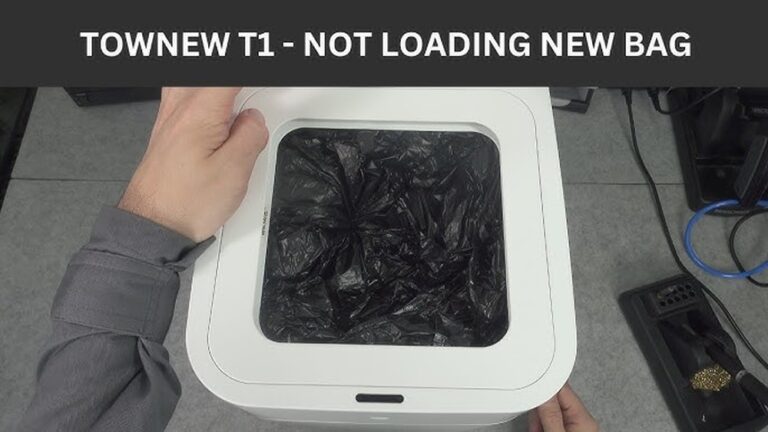
Improper bag placement can cause the trash bag not to seal or change correctly. Make sure the bag fits well inside the compartment. Follow the instructions carefully for smooth bag replacement.
Battery And Power Concerns
Low battery causes many issues like slow response or no power. Use the recommended charger and keep batteries charged regularly. Replace old batteries if the problem continues.
Unusual Noises
Strange sounds often come from loose parts or motor strain. Check for any loose screws or debris inside. Cleaning and tightening parts usually stops the noise quickly.

Credit: device.report
Quick Sensor Fixes
Townew trash cans use sensors to open and close the lid automatically. Sometimes these sensors stop working properly. Quick sensor fixes can solve many common problems. These fixes are easy and do not need special tools.
Try these simple steps to get your sensor working again fast.
Cleaning The Sensor
Dirt and dust can block the sensor. Use a soft cloth to wipe the sensor area gently. Avoid using water directly on the sensor. Cleaning keeps the sensor clear and helps it detect motion better.
Adjusting Sensor Settings
The sensor may need adjustment to work well. Check the user manual for sensor settings. Change the sensor’s sensitivity if it is too high or low. Adjusting helps the sensor respond correctly to your hand or trash movement.
Resetting The Sensor
Resetting the sensor can fix errors. Turn off the trash can and unplug it. Wait for 30 seconds, then plug it back in and turn it on. This resets the sensor system and can solve many issues quickly.
Troubleshooting Lid Problems
The Townew trash can is designed for ease and convenience. Sometimes, the lid may not open or close properly. This can cause frustration and reduce the can’s effectiveness.
Understanding how to troubleshoot lid problems helps maintain smooth use. Simple checks can fix most issues quickly.
Checking Lid Alignment
Misaligned lids often cause trouble. Check if the lid sits evenly on the base. Look for gaps or tilted angles.
Adjust the lid gently by pushing or lifting it into place. Make sure the sensors line up correctly. Proper alignment ensures the lid responds to motion.
Clearing Obstructions
Small objects or dirt can block the lid’s movement. Inspect the edges and hinge for crumbs or debris. Remove anything that stops the lid from closing fully.
Use a soft cloth or brush to clean the sensors and lid edges. Keep the area clear to avoid jams and improve sensor accuracy.
Manual Lid Operation
The lid can be opened and closed by hand if needed. Gently lift or press the lid to check its movement. This helps identify if the problem is mechanical or sensor-related.
If the lid feels stiff, check for stuck parts or tight hinges. Lubricate hinges lightly with a safe oil to improve motion. Manual operation helps test the lid’s function without electronic input.
Bag Installation Tips
Installing the bag in your Townew trash can correctly helps avoid spills and jams. Proper installation keeps the trash can working smoothly and saves time. Follow these simple tips to install the bag the right way.
Choosing Compatible Bags
Select bags made for Townew trash cans only. These bags fit the can’s size and shape perfectly. Using other bags can cause leaks or failures. Always check the bag’s label before buying. Using the right bags makes your trash can last longer.
Proper Bag Placement
Open the trash can lid fully before placing the bag. Spread the bag evenly inside the can. Make sure the bag covers all sides without folds. Avoid bunching or twisting the bag inside the bin. Smooth placement helps the trash can seal tightly.
Securing The Bag
Pull the bag’s edges over the rim securely. Tuck the bag under the lid flap if your model has one. This keeps the bag from slipping down. Check that the bag is tight but not too stretched. A well-secured bag stops leaks and makes trash removal easy.
Power And Battery Solutions
Power problems can stop your Townew trash can from working well. Battery and power issues are common. Knowing simple solutions helps you fix these problems fast. This section covers easy steps to keep your Townew powered and ready.
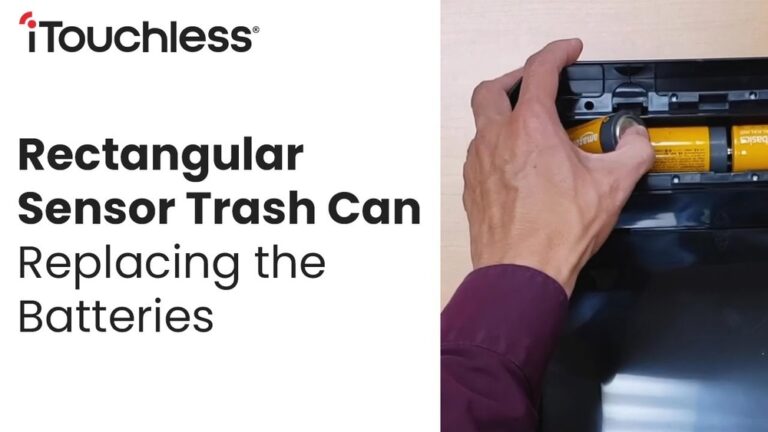
Replacing Batteries
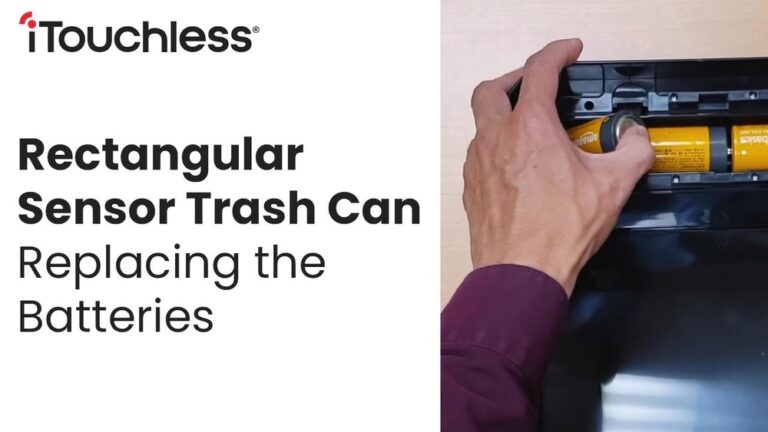
Check battery life if the trash can stops working. Use the right battery type as shown in the manual. Remove old batteries carefully. Insert new ones with correct polarity. This helps the device work properly again.
Charging Guidelines
Charge the Townew trash can regularly for best performance. Use the charger that came with the device. Avoid overcharging to protect battery health. Unplug the charger once the battery is full. Keep charging ports clean and dry.
Power Cycle Procedures
Power cycling resets the trash can’s system. Turn off the device completely. Wait for 10 seconds before turning it back on. This can fix small glitches or freezes. Repeat if the device does not respond the first time.
Noise Reduction Methods
Noise from your Townew trash can might be annoying. It can disrupt quiet moments at home. Fixing noise helps make the trash can work better and last longer. Simple steps can reduce noise quickly. Let’s explore easy ways to lower the sound.
Lubricating Moving Parts
Moving parts can cause squeaks and rattles. Use a small amount of lubricant on hinges and joints. This helps parts move smoothly. Choose a lubricant safe for plastic and metal. Apply it carefully to avoid mess. Regular lubrication keeps noise low and parts working well.
Tightening Loose Components
Loose screws or bolts can make rattling sounds. Check all screws on the lid and body. Use a screwdriver to tighten any loose parts. Tight parts reduce shaking and noise. Make sure not to overtighten and damage the trash can. Secure components keep the can stable and quiet.
Identifying Internal Issues
Noise may come from inside the trash can. Check for stuck or broken pieces. Remove the bag and look inside carefully. Clear any debris that blocks the mechanism. If parts are broken, replace them to stop noise. Fixing internal problems improves the trash can’s function and silence.
When To Contact Support
Knowing when to contact Townew support helps solve problems faster. Some issues need expert help to avoid damage. Recognizing these signs saves time and stress.
Warranty Information
Townew trash cans come with a limited warranty. The warranty covers defects in materials and workmanship. Check your warranty period before calling support. Problems like broken sensors or motor faults often qualify. Keep your purchase receipt ready to confirm warranty status.
Professional Repair Services
Some faults need professional repair beyond simple troubleshooting. Avoid opening or fixing the trash can yourself. Repair services ensure safety and proper handling of parts. Contact support to find authorized repair centers near you. Using professional service keeps your warranty valid.
Customer Service Tips
Prepare details about the problem before calling support. Note error messages, unusual sounds, or performance issues. Describe what troubleshooting steps you already tried. Stay calm and clear during the conversation. This helps customer service assist you quickly and accurately.

Credit: uk.pcmag.com
Conclusion
Troubles with your Townew trash can don’t have to last long. Simple fixes often solve common problems fast. Regular care helps keep it working well. Check sensors, clean parts, and replace batteries when needed. Small steps save time and money.
Stay patient and follow these tips closely. Your trash can will work smoothly again soon. Trust the process and keep your space clean. Easy solutions make daily life better.