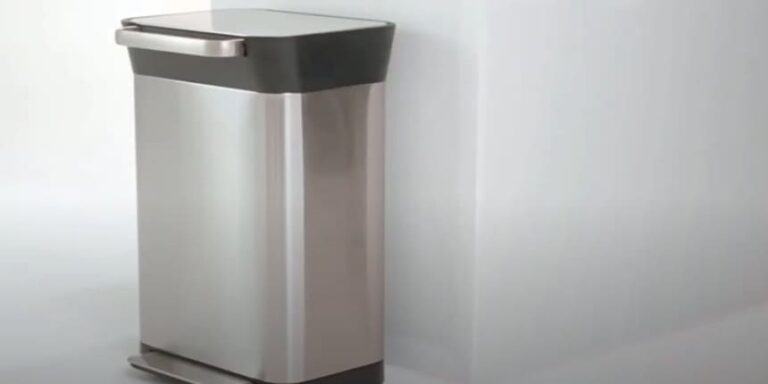
Is your trash compactor acting up and leaving you stuck with piles of waste? Knowing how to reset a trash compactor can save you time, frustration, and even costly repairs.
You’ll discover simple, step-by-step instructions to get your compactor working smoothly again. Whether it’s jammed, won’t start, or just feels off, you’ll learn exactly what to do to fix it quickly and safely. Keep reading, and you’ll have your trash compactor back in action before you know it.

Credit: www.youtube.com
Signs Your Trash Compactor Needs Resetting
Knowing when your trash compactor needs resetting can save you time and effort. Many signs tell you the machine is not working right. These signs help you fix the problem before it gets worse.
Common Error Indicators
The compactor may show error lights or blinking buttons. These signals mean the device has stopped working properly. Strange noises or a lack of sound during operation can also be a clue. Sometimes, the compactor door won’t close or lock as usual. These issues often point to a need for a reset.
When Compactor Stops Working
The trash compactor may stop working completely without warning. Pressing the start button does nothing. The motor may not run, or the compaction cycle may not begin. This usually means the machine’s safety switch or internal sensor needs resetting. A quick reset often fixes the problem and gets the compactor running again.
/how-to-reset-a-garbage-disposal-5223533-06-10936dae09db42e48e87fff007da1185.jpg)
Credit: www.thespruce.com
Safety Precautions Before Resetting
Before resetting a trash compactor, safety comes first. Taking simple steps prevents accidents and damage. Always prepare the area and power off the unit. These actions protect you and the machine.
Unplugging The Unit
Always unplug the trash compactor before resetting. This stops power flow and avoids electric shocks. Never reset the machine while it is plugged in. Pull the plug from the outlet firmly but gently.
Clearing The Area
Remove any objects or trash near the compactor. Clear space around the unit for safe movement. Keep children and pets away during the reset process. A clean area reduces risks of trips or injuries.
Step-by-step Reset Process
Resetting a trash compactor is simple. Follow the clear steps below to get it working again. The process is quick and easy to do yourself.
Locating The Reset Button
Look for the reset button near the motor or control panel. It is usually red or black. Check the user manual if you do not see it right away. The button can be small and hard to spot.
Pressing The Reset Button Correctly
Press the button firmly but do not hold it for too long. A quick press for about two seconds works best. Let go and wait a few seconds. This action clears the compactor’s error status.
Testing The Compactor
Run the compactor after the reset. Make sure it operates smoothly without stopping. If it stops again, repeat the reset or check for jams. Your compactor should now work normally.
Troubleshooting Reset Failures
Sometimes, a trash compactor does not reset properly. Troubleshooting reset failures helps find the issue quickly. Understanding simple checks can save time and effort. This section guides you through basic steps to fix reset problems safely and easily.
Checking For Jams
Jams are a common cause of reset failures. Look inside the compactor for stuck debris or trash. Remove any blockages carefully. Use gloves to protect your hands. Make sure the compactor plate moves freely without resistance. Clearing jams often restores normal function fast.
Inspecting The Power Supply
Power issues can stop the reset process. Check if the compactor is plugged in securely. Test the outlet with another device to confirm it works. Look for blown fuses or tripped circuit breakers. Faulty power can prevent the compactor from resetting properly.
When To Call A Professional
Some problems need expert help. If the compactor still does not reset after checks, call a technician. Avoid forcing parts or opening sealed areas. Professionals have the tools and knowledge to fix complex issues safely. Calling a pro can prevent damage and ensure the compactor works correctly again.
Maintenance Tips To Prevent Future Issues
Keeping your trash compactor in good condition helps avoid future problems. Simple care steps extend its life and keep it working well. Follow these easy maintenance tips to reduce breakdowns and save time.
Regular Cleaning
Clean the trash compactor often to stop dirt build-up. Wipe the inside with a damp cloth after emptying. Remove stuck trash pieces that block the mechanism. Use mild soap and water for deeper cleaning. Dry all parts before using the compactor again. Regular cleaning stops odors and keeps the machine smooth.
Proper Usage Practices
Only put allowed items into the compactor. Avoid hard or sharp objects that can damage the blades. Do not overload the machine beyond its capacity. Follow the manufacturer’s guidelines for best results. Use the compactor in short bursts to prevent motor overheating. Proper use keeps the compactor safe and working longer.
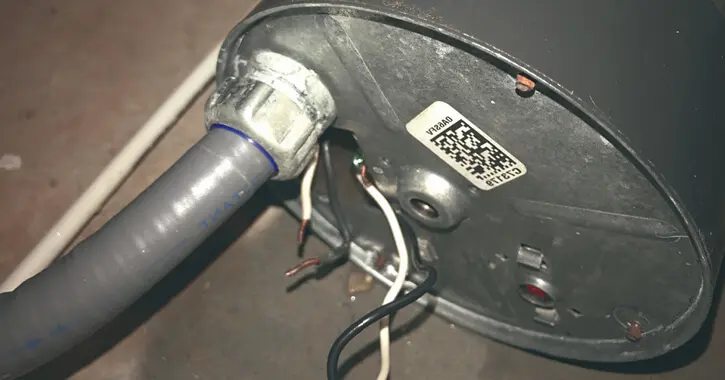
Credit: www.mrappliance.ca
Conclusion
Resetting a trash compactor is simple and quick. Follow the steps carefully to avoid damage. Always unplug the unit before starting. Press the reset button and wait a few seconds. This helps clear any jams or errors. Regular cleaning prevents future problems.
Remember, safety is important when handling appliances. With these tips, your trash compactor should work smoothly again. No need to call a repair service right away. Keep your kitchen clean and your compactor running well. Easy fixes save time and money.