Are you tired of your Kitchen Aid trash compactor not working the way it should? If your compactor jams, won’t start, or makes strange noises, you’re not alone.
These problems can disrupt your routine and leave you frustrated. But don’t worry—understanding the common issues and how to fix them can save you time and money. Keep reading to discover what might be causing your Kitchen Aid trash compactor problems and how you can get it running smoothly again.

Credit: www.youtube.com
Common Trash Compactor Issues
Kitchen Aid trash compactors are useful appliances that help reduce kitchen waste. Like all machines, they can face common problems. Understanding these issues can help you fix them quickly and avoid bigger troubles.
Here are some frequent problems people experience with Kitchen Aid trash compactors.
Motor Not Running
The motor powers the compactor’s pressing action. If it does not run, the unit won’t work. This issue can happen due to a blown fuse, a faulty switch, or a bad motor. Check the power source and switches first. If these are fine, the motor might need repair or replacement.
Compactor Not Compressing
The compactor may start but fail to compress trash. This can result from a stuck ram or a broken drive belt. Sometimes, the trash load is too large or uneven, stopping the ram. Clear the bin and try again. If the problem continues, inspect the belt and ram for damage.
Door Won’t Close
A door that won’t close stops the compactor from running. Objects stuck in the door frame or a misaligned door can cause this. Clean the door area and check for any blockages. Adjust the door hinges if needed to ensure a tight seal.
Unusual Noises
Strange sounds often signal a mechanical issue. Grinding or squeaking may come from worn parts or lack of lubrication. Turn off the compactor and inspect moving parts. Clean and oil components as needed. Persistent noise might require professional service.
Power Problems
Power issues prevent the compactor from turning on. These problems can stem from faulty wiring, a tripped circuit breaker, or a damaged power cord. Check the electrical connections and reset breakers. Replace damaged cords promptly to avoid hazards.
Simple Troubleshooting Steps
Troubleshooting your Kitchen Aid trash compactor is easier than you think. Many common problems have simple fixes. Follow these steps to get your compactor working again quickly. Each step focuses on a key part of the unit. Try them one by one for the best results.
Resetting The Compactor
Start by resetting the compactor. Unplug it from the power outlet. Wait for about five minutes to clear any errors. Plug it back in and press the reset button. This can fix many minor issues fast.
Checking The Power Supply
Check if the compactor gets power. Make sure the power cord is plugged in tightly. Test the outlet with another device. Look for any tripped circuit breakers. No power means the compactor will not run.
Inspecting The Door Latch
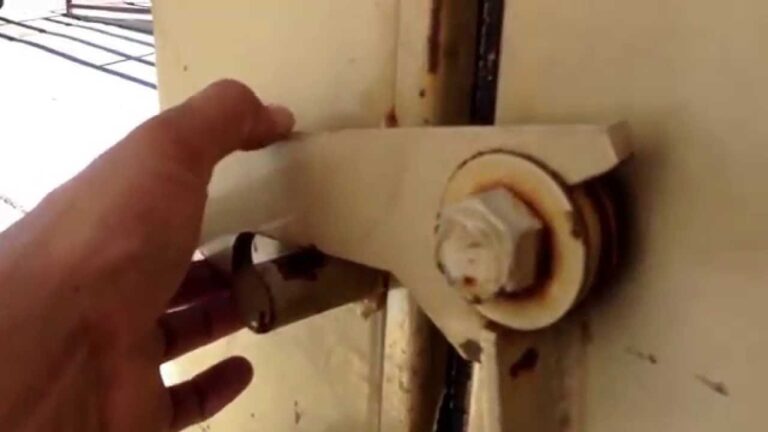
The door latch must close fully. Open and close the door firmly. Clean any dirt or debris around the latch. A loose or broken latch stops the compactor from starting. Replace it if damaged.
Clearing Jams
Jams block the compactor from working. Remove all trash from the unit. Look inside for stuck items or debris. Use a flashlight for better view. Clear any blockage carefully to avoid damage.
Lubricating Moving Parts
Lubricate parts to keep them moving smoothly. Use a silicone-based lubricant on metal tracks and hinges. Avoid oil-based products that attract dust. Regular lubrication prevents wear and tear.
Fixing Motor And Electrical Issues
Fixing motor and electrical issues in a Kitchen Aid trash compactor often restores its smooth operation. These problems cause the compactor to stop working or run poorly. Understanding how to test and repair parts helps save time and money. Basic tools and safety steps are enough for many fixes.
Testing The Motor
Start by unplugging the compactor. Remove the cover to access the motor. Use a multimeter to check motor continuity. No reading means the motor coil might be broken. Spin the motor shaft by hand to feel for resistance. A stuck motor needs cleaning or replacement. Motors with burnt smells often fail internally.
Replacing Fuses And Switches
Locate the fuse or circuit breaker inside the unit. A blown fuse stops power flow to the motor. Replace it with the same type and rating. Switches control the compactor start and stop functions. Test switches with a multimeter for continuity. Replace faulty switches to restore proper control.
Addressing Wiring Problems
Inspect wires for burns, breaks, or loose connections. Damaged wires cause short circuits or no power. Tighten loose wire nuts and terminals carefully. Replace frayed or broken wires with matching gauge wire. Check wire insulation for cracks and replace if needed. Proper wiring ensures safe and reliable operation.
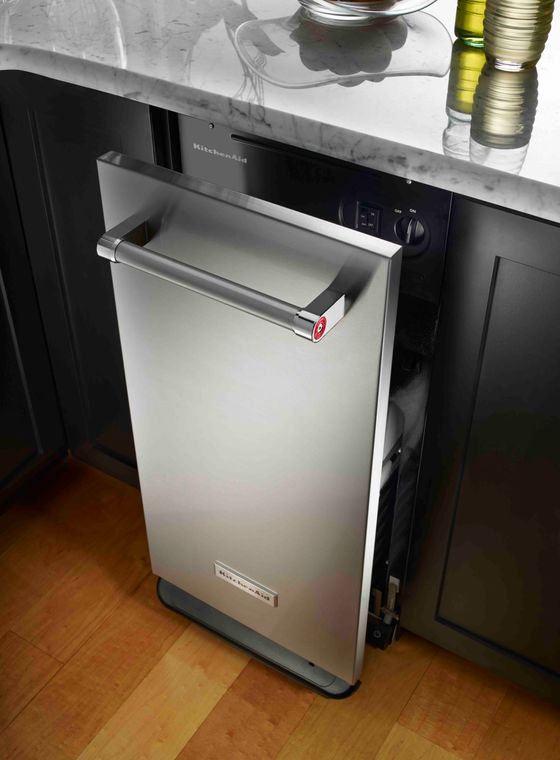
Credit: www.kitchenaid.com
Resolving Compression Problems
Compression problems in Kitchen Aid trash compactors are common. These issues stop the machine from pressing trash tightly. Fixing these problems can improve your compactor’s performance. Simple steps can help restore its power and efficiency. Below are key ways to resolve compression issues.
Adjusting The Ram
The ram pushes trash down inside the compactor. If it does not move correctly, compression fails. Check if the ram is stuck or misaligned. Gently move the ram to see if it slides smoothly. Tighten any loose screws or bolts holding the ram. Adjust the ram’s position for better contact with the trash. This may restore proper compression force.
Replacing The Ram Blade
The ram blade is the part that presses the trash. Over time, it can wear out or break. A damaged blade reduces compression power. Turn off the compactor and unplug it for safety. Remove the old ram blade carefully. Install a new blade that fits your model exactly. Test the compactor after replacement to check if compression improves.
Cleaning The Compactor Chamber
Trash and debris build-up can block the ram’s movement. Dirt inside the chamber makes compression weak or uneven. Remove any trash and clean the chamber walls with a damp cloth. Use mild soap if needed to clear sticky residues. Dry the chamber before using the compactor again. A clean chamber helps the ram press trash more effectively.
Maintaining Your Trash Compactor
Maintaining your Kitchen Aid trash compactor helps it work longer and better. Regular care keeps problems away. Small actions save time and money. Clean parts and clear jams often. This section shares simple steps for good upkeep.
Regular Cleaning Tips
Turn off and unplug the compactor before cleaning. Wipe inside with a damp cloth and mild soap. Clean the ram and walls to remove residue. Dry all surfaces well to stop rust. Remove and wash the drawer if possible. Clean the exterior to keep it fresh. Do this every month to avoid smells and buildup.
Preventing Future Jams
Check for large or hard items before compacting. Avoid putting glass or metal in the compactor. Use the compactor only for soft trash like paper and food scraps. Do not overfill the drawer. Press the compactor button fully to complete cycles. Regular cleaning helps prevent jams. Watch for unusual noises during operation.
When To Call A Professional
Call a technician if the compactor does not start. Seek help if it stops mid-cycle or jams often. Strange smells or smoke need expert attention. If the motor runs but the ram does not move, get service. Do not try to fix electrical parts yourself. Professionals have tools and knowledge to fix safely. Regular service checks extend the machine’s life.

Credit: yourpghlawyer.com
Frequently Asked Questions
Why Is My Kitchen Aid Trash Compactor Not Starting?
Your Kitchen Aid trash compactor may not start due to a faulty door latch or blown fuse. Check if the door is fully closed and inspect the power supply. Resetting the circuit breaker or replacing the fuse often resolves this issue quickly.
How To Fix A Jammed Kitchen Aid Trash Compactor?
A jammed trash compactor can be cleared by unplugging the unit and removing any stuck debris. Avoid forcing the compactor as it may damage internal parts. Regular cleaning and proper waste placement prevent jams and maintain smooth operation.
What Causes Strange Noises In Kitchen Aid Compactors?
Unusual noises often result from loose components or debris caught in the mechanism. Tighten any loose screws and clean the compactor interior. If noises persist, the motor or gears might need professional inspection or replacement.
How To Reset A Kitchen Aid Trash Compactor?
To reset, unplug the compactor for at least five minutes. Plug it back in and close the door securely. This simple reset can clear minor electronic glitches and restore normal function.
Conclusion
Kitchen Aid trash compactors can face some common issues. Knowing these problems helps you fix them fast. Regular cleaning and simple checks keep your compactor working well. Small repairs often save money and time. Staying alert to unusual sounds or jams avoids bigger troubles.
Taking care of your appliance extends its life. Keep your kitchen neat and waste under control. Simple steps make using your trash compactor easy and worry-free.